Appearance
Skip to content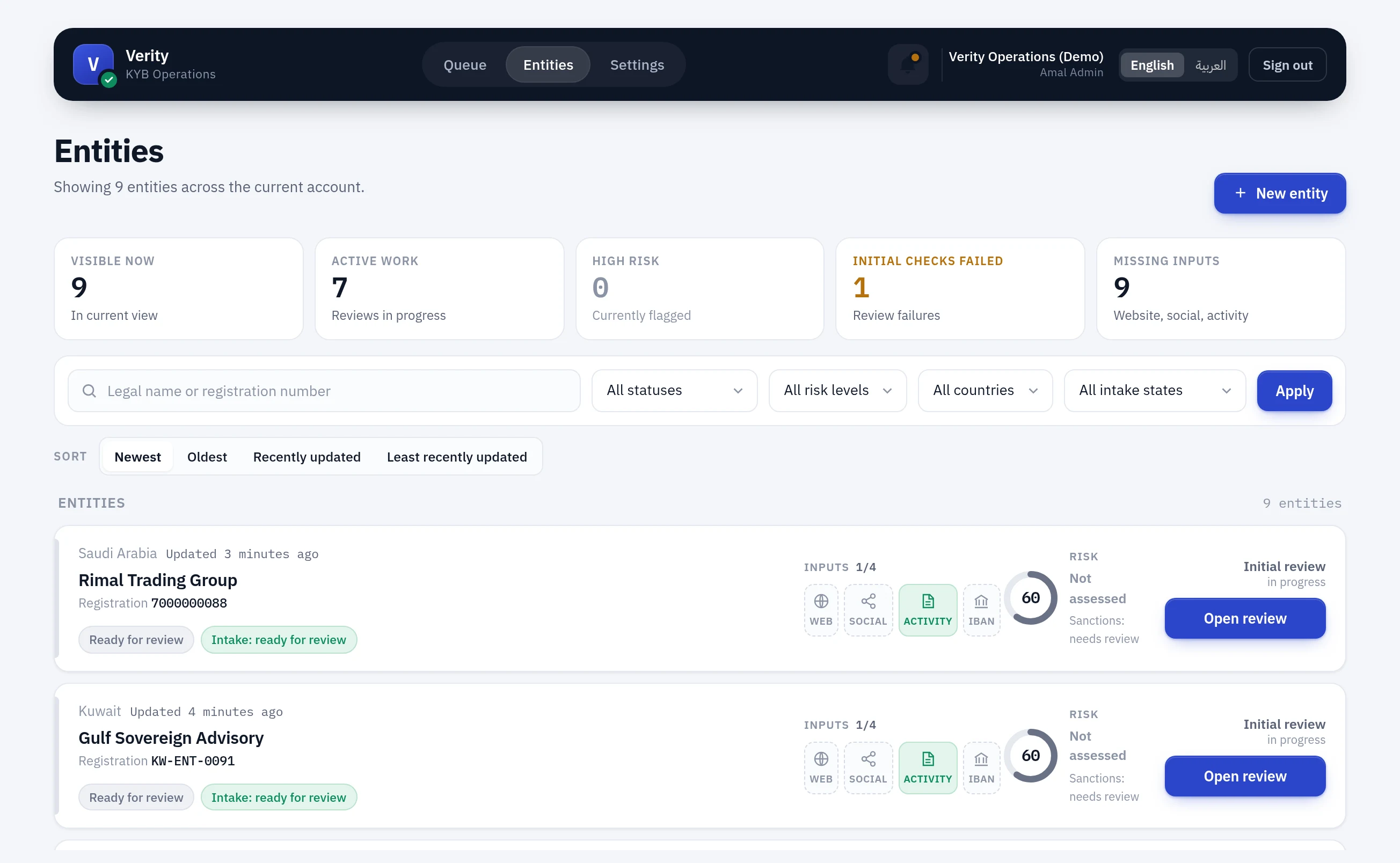
How to work a merchant
A self-running tour of Verity in ten chapters, following one merchant from intake to decision. Press play and leave it running, or step through with the arrow keys.
Every screen is a real capture from the design-audit harness, refreshed with the product — so it cannot drift into showing an interface that never existed.
01 / 10
Chapter 01 of 10
The entities list
Where every session starts. One row per merchant, and five counters that describe the view you are looking at — not the account.
- The counters follow your filters. Visible now is what the current search returns, so it moves as you narrow.
- Initial checks failed is clickable — the fastest route to the backlog worth clearing first.
- The gauge in each row is verification coverage out of 100. The band beside it is risk.
Watch for
A merchant can score 100 coverage and still be high risk. Coverage says how much of the file we verified; the band says how risky what we found is. They are never combined.
Chapters
Using this with a new joiner
Play it end to end first, then work a real merchant beside it. The chapters follow the same order the work does, so they can be paused at the step they are actually on.
The Watch for note on each chapter is the part worth reading aloud. Those are the places Verity is most often misread — coverage mistaken for risk, an unrun check mistaken for a pass, a rejection mistaken for a bar. Someone can operate the product confidently and still get every one of them wrong.
Where to go deeper
| You want | Read |
|---|---|
| What each screen means, panel by panel | Screen by screen |
| Why the risk band works the way it does | The risk model |
| What a check actually is | What a check is |
| The principle underneath all of it | The principle |