Appearance
The review cockpit
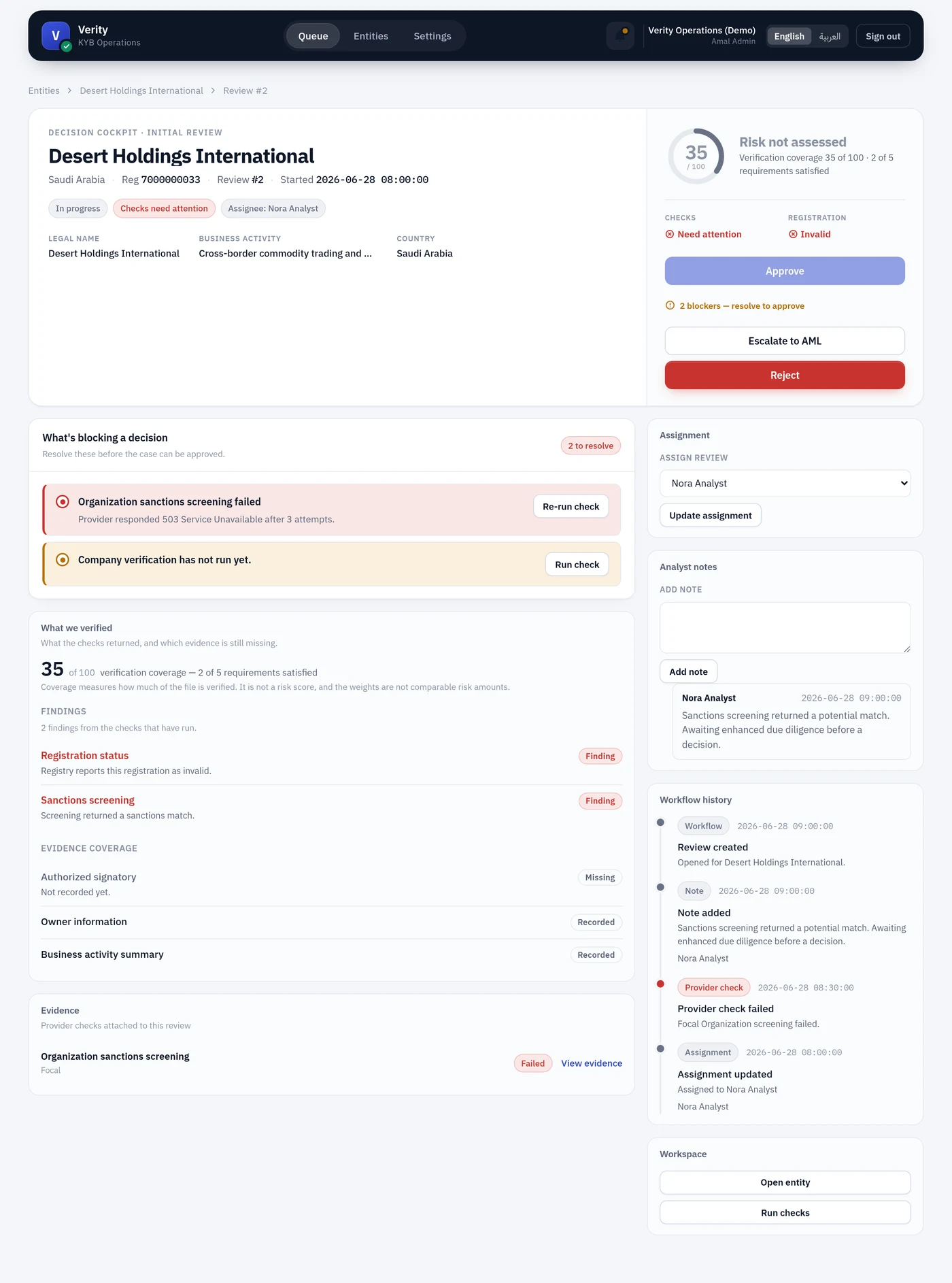
/entity_reviews/:id — where a decision gets made. Built so the blocking work is the first thing you see and the decision buttons are the last.
Header
Identity, review number, purpose (Initial / Periodic), status and assignee.
Decision panel — top right
| Element | Means |
|---|---|
| Gauge and band | The entity's coverage and assessed risk |
| Checks / Registration signals | The two postures most likely to block you |
| Approve | Disabled while anything blocks it, with the blocker count stated beneath |
| Escalate to AML | Hands it to a specialist |
| Reject | Needs a reason code |
What's blocking a decision
The panel to read first. Each row is one outstanding item with the action that resolves it — a failed check with Re-run check, a check that never ran with Run check, an unadjudicated match with a link to the screening panel.
Three things block approval, and they are enforced in the model, not merely in the view:
- An unadjudicated blocking screening match
- A configured intake check that has not completed
- A failed provider fetch run
Empty is the goal
When this section is empty, Approve is live. It is the shortest description of "is this ready".
Screening
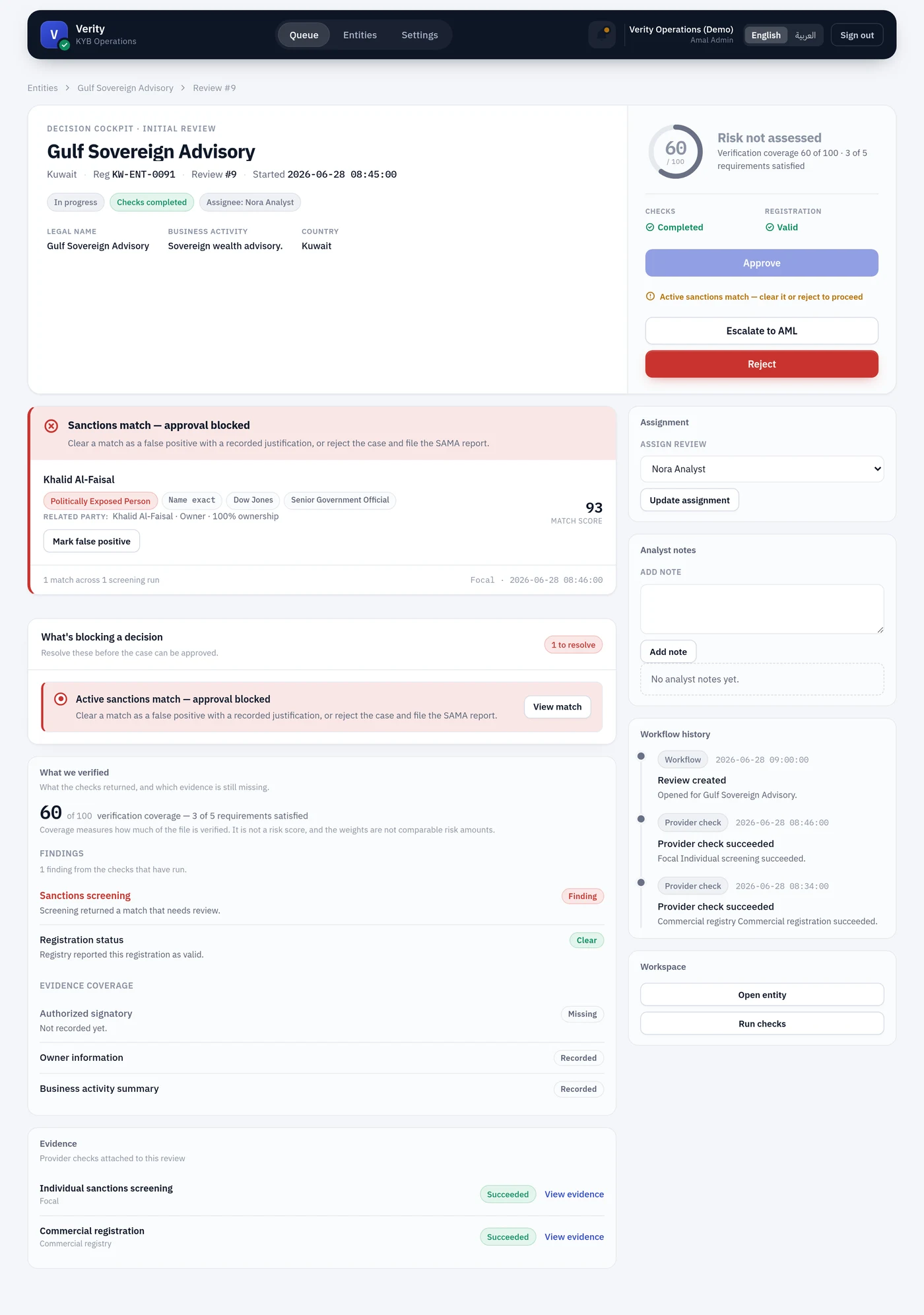
What the screening provider returned, and what still needs a human. A match is evidence for a decision, not canonical truth — the panel says so, because a provider calling someone a PEP is that provider's assertion.
Each match is adjudicated as a true match or a false positive. What blocks is configured per country under Country defaults, so a PEP match may block, escalate or merely inform depending on where the merchant is.
An adjudication can be reverted, which re-blocks approval in place. Both decisions stay in the trail.
What we verified, and Evidence
The same coverage and findings breakdown as the entity page, plus the provider checks attached to this review with links to their evidence.
Right column
Assignment — reassign the review. Changes are audited and notify the new assignee, unless you assign it to yourself.
Analyst notes — append-only, with author and timestamp. The place for judgement the structured fields cannot hold.
Workflow history — every state change, note, check and assignment in order.
Workspace — jump to the entity, or run checks.
Who may decide
Anyone with the relevant permission — except that once a review is escalated to AML, only someone who can adjudicate screening matches may decide it. Escalation means a specialist was asked; letting the original analyst approve it afterwards would make the escalation decorative.