Appearance
The evidence page
/provider_fetch_runs/:id — the actual provider call behind a check. Where you go when a result looks wrong, surprising, or too good.
Needs provider_fetch_run.view.
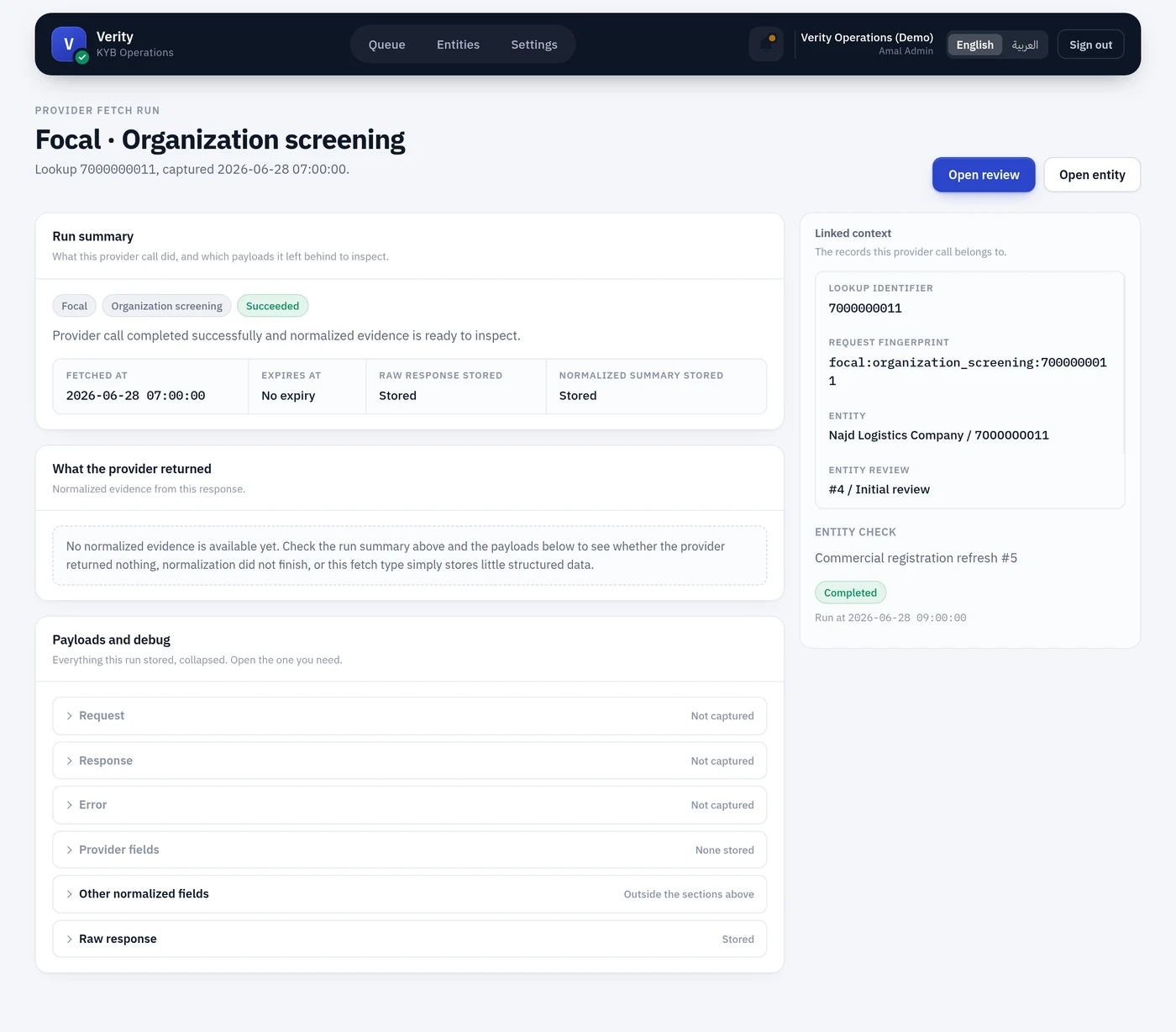
Run summary
Provider, fetch type, the lookup identifier sent, status and timestamp. The identifier is worth checking first — a surprising result is often a lookup on the wrong number.
What the provider returned
The normalised evidence: the fields Verity extracted, labelled and rendered as first-class content. This is what the rest of the product reads.
If this section says No normalized evidence is available yet, it means the structured extraction produced nothing — the provider returned nothing, normalisation did not complete, or this fetch type stores little structured data. The raw payload below is still there in every case.
Payloads
Collapsed by default.
- Request — method, URL, the lookup input, and the full request body
- Response — status and body exactly as the provider returned it
- Error — for failures, the provider's own error body
Credentials are filtered to [FILTERED] before anything is stored. That filtering happens at write time, not at render time, so a snapshot on disk never contains a token.
A failed run
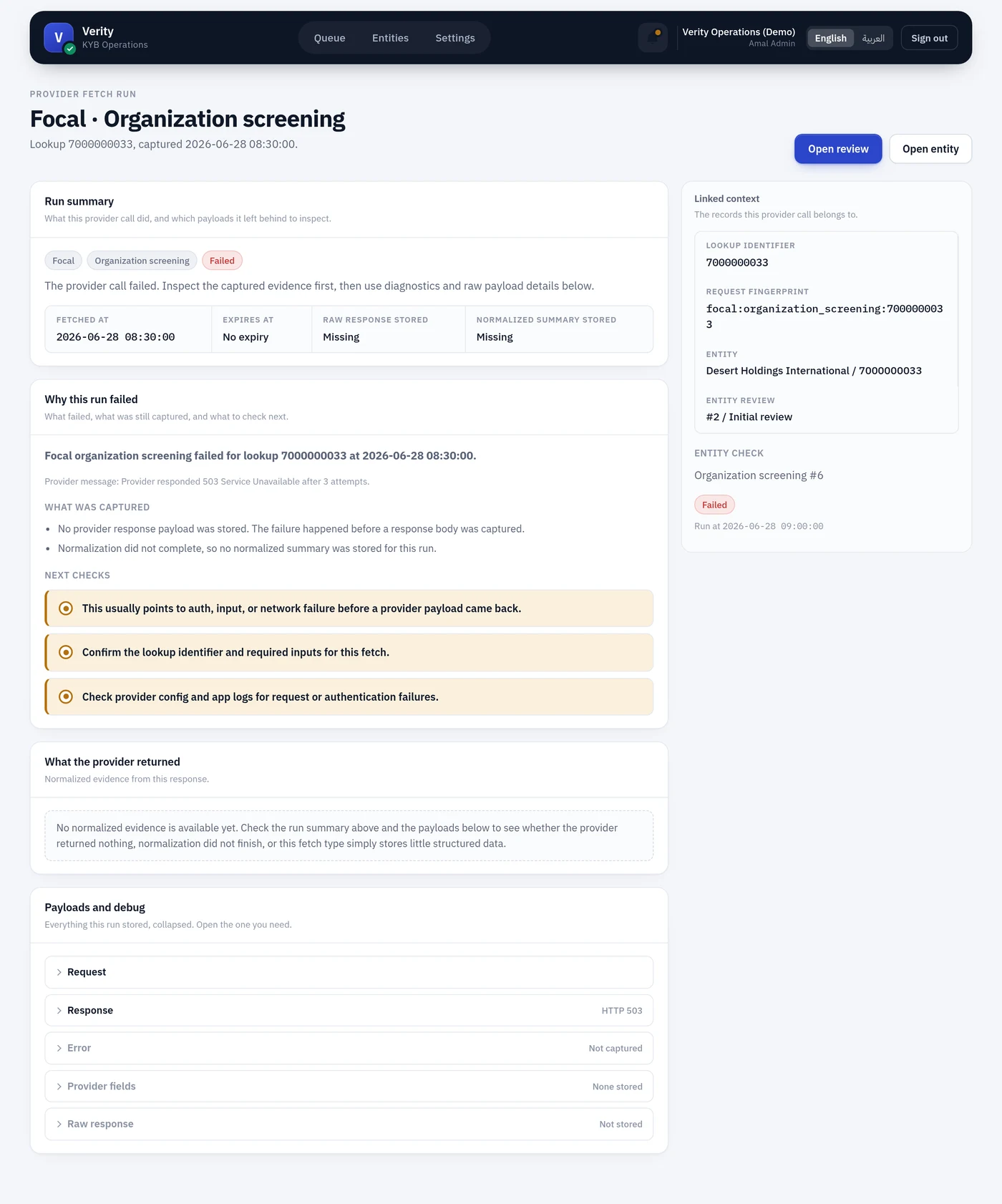
A failed call still creates a run, with the error captured. A failure that vanished without trace would be the one outcome an audit trail exists to prevent.
The error snapshot is usually the fastest way to understand a failure: it carries the provider's own status code and message, which is almost always more specific than anything Verity could say on its behalf.