Appearance
Standing bars
Settings → Standing bars, needing denylist.view to read and denylist.manage to change.
A standing bar stops a merchant or a person being accepted again. It is the enforcement half of something Verity could previously only observe: portfolio linkage reports that an entity resembles one you rejected, but noticing was left to whoever read the panel, and nothing stopped the application.
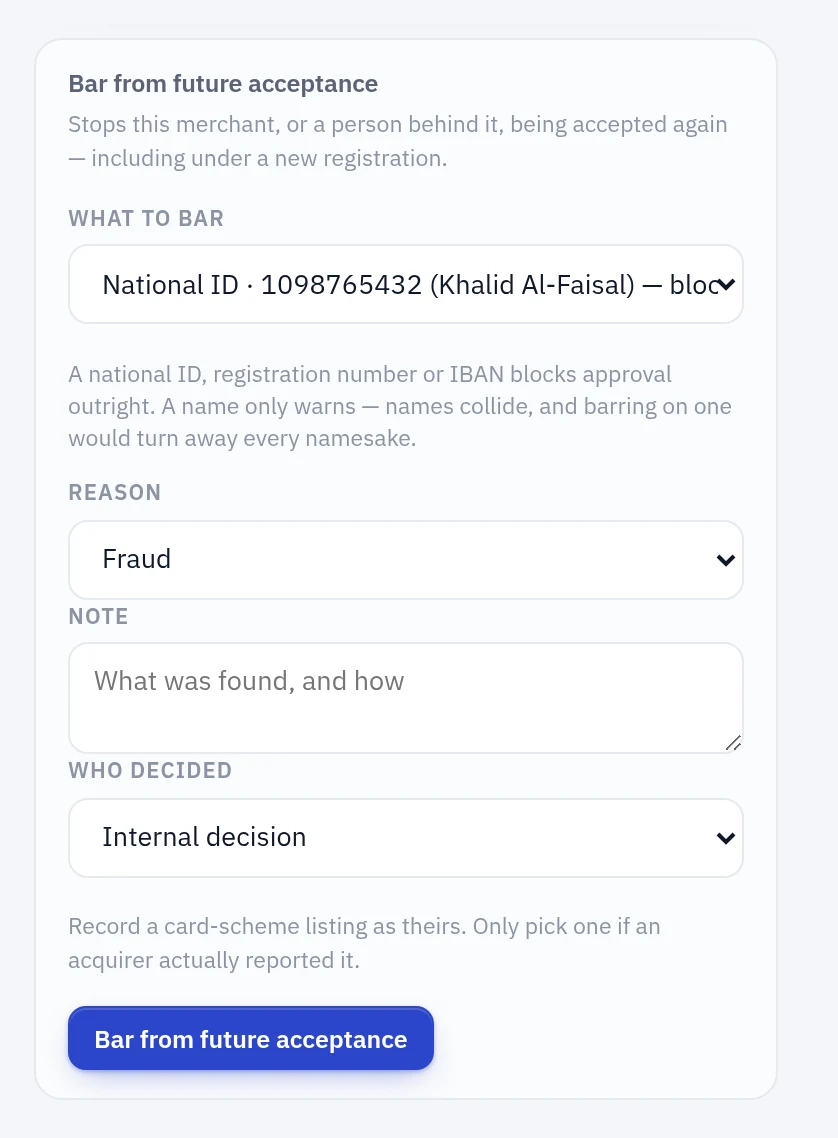
Placing a bar
From the entity page or the person page, wherever you noticed. Both need denylist.manage.
You pick an identifier rather than typing one, and the option carries the value, whose it is, and the consequence:
National ID · 1098765432 (Khalid Al-Faisal) — blocks approval
Typing would allow a value paired with the wrong identifier type, which places a bar that silently never matches — a bar that looks placed and does nothing. The picker makes that impossible, and the same list feeds the matcher, so the form can never offer something the lookup would not check.
The form disappears once a strong bar is in force.
Bar the person, not just the merchant
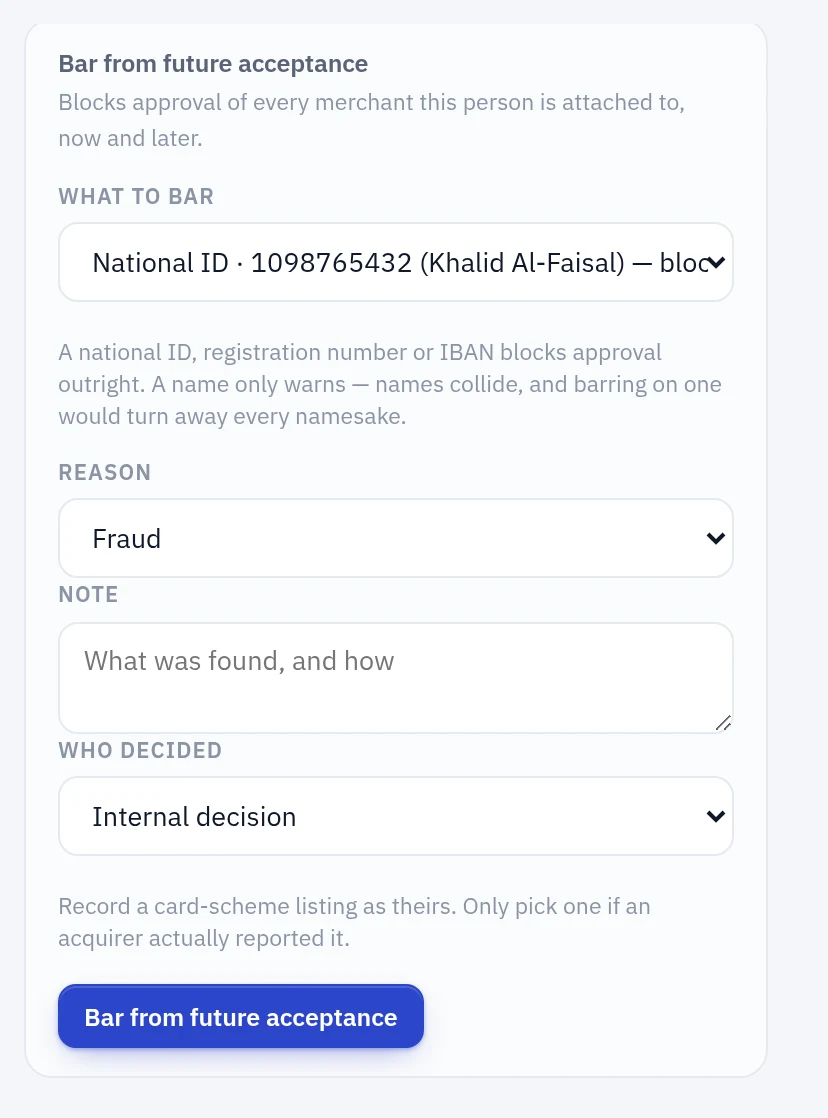
A person appears on many entities. Barring one merchant leaves the operator free to open another next week; barring the person blocks approval of every merchant they are attached to, now and later.
If you only ever place one kind of bar, place this one.
The settings form
Settings → Standing bars also has a manual form, where you choose an identifier type and type the value. Use it for something Verity does not hold — an email, a phone number, or a scheme listing for a merchant who never applied here.
It matches identifiers, not records
The case this exists to catch is the same operator returning under a new company — new entity, new registration number, same person behind it. A bar keyed to the old entity would miss every one of those, so entries key on identifiers:
| Identifier | Strength |
|---|---|
| National ID, Iqama | Strong |
| Registration number | Strong |
| IBAN | Strong |
| Legal name, person name | Weak |
| Domain, email, phone | Weak |
Values are normalised on both sides, so formatting cannot defeat a bar: SA03 8000 … and SA038000… are the same IBAN, and https://www.Shop.sa/products and shop.sa are the same host.
Strong and weak do different things
A strong match blocks approval. National IDs, registration numbers and IBANs are unique to one person or business, so a match is that person or business. This is enforced on the review itself — the same place the sanctions block lives — not only in the interface.
A weak match only warns. Names collide. Barring on a name would turn away every merchant who shares one with somebody terminated years ago, and the operator would have no way to tell them apart. So a name match raises the risk gate for a human to read and blocks nothing.
What an operator sees
On the entity page, a bar appears above the risk assessment — it is a decision already made, and reading the rest of the file first wastes time. It says which identifier matched, who listed it, the reason, and whether approval is blocked or this is only a prompt to check.
On the review, a strong match appears among the approval blockers with the action that clears it.
Lifting a bar
Lifting requires a reason, and does not delete the entry. The record of who was barred, who lifted it and why is exactly what an audit asks about first, so lifted and expired entries stay visible under their own heading.
Both listing and lifting write an audit event.
Expiry
An entry may carry an expiry date, after which it stops matching without anyone acting. This matters most for scheme listings, which carry a retention period — Mastercard MATCH retains for five years. An internal bar with no expiry stays in force until somebody lifts it, which is deliberate but worth reviewing rather than leaving permanent by neglect.
Card scheme listings
source separates our own decision from a card-scheme listing:
| Source | Means |
|---|---|
| Internal decision | Moyasar barred this merchant or person |
| Mastercard MATCH | Listed on Mastercard's Member Alert to Control High-risk Merchants by an acquirer |
| Visa VMSS | Listed on Visa's Merchant Screening Service by an acquirer |
A scheme listing is somebody else's finding, and is shown as theirs — the same treatment as screening intelligence, and for the same reason: presenting another organisation's conclusion as your own misstates who decided.
The scheme's own reason code is kept verbatim in source_reference rather than paraphrased into Verity's vocabulary, because the exact code is what an auditor asks for.
No live scheme connection yet
Entries with a scheme source are recorded by hand today. There is no MATCH or VMSS client.
Access to those databases comes with card-scheme membership rather than with a payment-institution licence, and that is in progress. Until it exists, a compliance officer enters what an acquirer reports — which is honest about who established the fact, and means the data model and the screens are already right when the connection arrives.
What a real connection will add
Two things, and the second is easy to overlook:
Inbound — querying the scheme before boarding a merchant, and importing listings as entries with source: mastercard_match or visa_vmss.
Outbound — MATCH is not a read-only database. An acquirer is obliged to add terminated merchants to it, with a reason code, within a set window. If that duty applies, Verity's internal reason codes need mapping onto Mastercard's, and lifting an internal bar is no longer purely an internal act.